


Page 58 - MSDN Magazine, November 2018
P. 58
ML models only understand numeric values, the weirdly named Dictionarizer class is used to encode two strings to 0 or 1. The ColumnConcatenator constructor combines the three predictor variables into an aggregate; using a string result parameter with the name of “Features” is required.
There are many different ML techniques you can use for a binary classification problem. I use logistic regression in the demo program to keep the main ideas as clear as possible because it’s arguably the sim- plest and most basic form of ML. Other binary classifier algorithms supported by ML.NET include AveragedPerceptronBinaryClassifier, FastForestBinaryClassifier and LightGbmClassifier.
The demo program trains and saves the model using these statements:
var model = pipeline.Train<KidneyData, KidneyPrediction>(); string ModelPath = "..\\..\\KidneyModel.zip"; Task.Run(async () =>
{
await model.WriteAsync(ModelPath); }).GetAwaiter().GetResult();
The ML.NET library Train method is very sophisticated. If you refer back to the screenshot in Figure 1, you can see that Train performs automatic normalization of predictor variables, which scales them so that large predictor values, such as a person’s annual income, don’t swamp small values, such as a person's number of children. The Train method also uses regularization, which is an advanced technique to improve the accuracy of a model. In short, ML.NET does all kinds of advanced processing, without you having to explicitly configure parameter values.
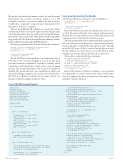
Figure 4 ML.NET Example Program
Saving and Evaluating the Model
After the model has been trained, it’s saved to disk like so:
string ModelPath = "..\\..\\KidneyModel.zip"; Task.Run(async () =>
{
await model.WriteAsync(ModelPath); }).GetAwaiter().GetResult();
Because the WriteAsync method is asynchronous, it’s not so easy to call it. The approach I prefer is the wrapper technique shown. The lack of a non-async method to save an ML.NET model is a bit surprising, even for a library that’s in preview mode.
The demo program makes the assumption that the program execut- able is two directories below the project root directory. In a production system you’d want to verify that the target directory exists. Typically, in an ML.NET project, I like to create a Data subdirectory and a Models subdirectory off the project root folder (Kidney in this example) and save my data and models in those directories.
The model is evaluated with these statements:
var testData = new TextLoader(dataPath). CreateFrom<KidneyData>(separator: ',');
var evaluator = new BinaryClassificationEvaluator(); var metrics = evaluator.Evaluate(model, testData); double acc = metrics.Accuracy * 100; Console.WriteLine("Model accuracy = " +
acc.ToString("F2") + "%");
In most ML scenarios you’d have two data files—one set used just for training and a second test dataset used only for model evalu- ation. For simplicity, the demo program reuses the single 30-item data file for model evaluation.
using System;
using Microsoft.ML;
using Microsoft.ML.Data;
using Microsoft.ML.Runtime.Api; using Microsoft.ML.Trainers; using Microsoft.ML.Transforms; using Microsoft.ML.Models; using System.Threading.Tasks;
namespace Kidney {
class KidneyProgram {
public class KidneyData {
[Column(ordinal: "0", name: "Age")] public float Age;
[Column(ordinal: "1", name: "Sex")] public float Sex;
[Column(ordinal: "2", name: "Kidney")] public float Kidney;
[Column(ordinal: "3", name: "Label")] public string Label;
}
public class KidneyPrediction {
[ColumnName("PredictedLabel")]
public string PredictedLabels; }
static void Main(string[] args) {
Console.WriteLine("ML.NET (v0.3.0 preview) demo run"); Console.WriteLine("Survival based on age, sex, kidney"); var pipeline = new LearningPipeline();
string dataPath = "..\\..\\KidneyData.txt"; pipeline.Add(new TextLoader(dataPath).
CreateFrom<KidneyData>(separator: ',')); pipeline.Add(new Dictionarizer("Label")); pipeline.Add(new ColumnConcatenator("Features", "Age",
"Sex", "Kidney"));
pipeline.Add(new LogisticRegressionBinaryClassifier()); pipeline.Add(new
PredictedLabelColumnOriginalValueConverter()
{ PredictedLabelColumn = "PredictedLabel" }); Console.WriteLine("\nStarting training \n"); var model = pipeline.Train<KidneyData,
KidneyPrediction>(); Console.WriteLine("\nTraining complete \n");
string ModelPath = "..\\..\\KidneyModel.zip"; Task.Run(async () =>
{
await model.WriteAsync(ModelPath); }).GetAwaiter().GetResult();
var testData = new TextLoader(dataPath). CreateFrom<KidneyData>(separator: ',');
var evaluator = new BinaryClassificationEvaluator(); var metrics = evaluator.Evaluate(model, testData); double acc = metrics.Accuracy * 100; Console.WriteLine("Model accuracy = " +
acc.ToString("F2") + "%");
Console.WriteLine("Predict 50-year male, kidney 4.80:"); KidneyData newPatient = new KidneyData()
{ Age = 50f, Sex = -1f, Kidney = 4.80f }; KidneyPrediction prediction = model.Predict(newPatient); string result = prediction.PredictedLabels; Console.WriteLine("Prediction = " + result);
Console.WriteLine("\nEnd ML.NET demo");
Console.ReadLine(); } // Main
} // Program } // ns
52 msdn magazine
Test Run


